The viral AI agent everyone’s talking about might save you an hour per week—and end up costing you everything.
Youtube productivity gurus are gushing over the latest tool. Mac Minis sold out across Silicon Valley. GitHub lit up with 100,000+ stars in days. OpenClaw—formerly Clawdbot, briefly Moltbot—became one of the fastest-growing open source projects in history by promising something radical: an AI assistant that doesn’t just chat, but acts on your behalf.
“Finally, AI with hands.”

What OpenClaw Actually Does
Let me start by laying out what makes OpenClaw different from Claude, ChatGPT, or any other AI assistant you might use through a browser or app.
OpenClaw runs on hardware that you control—a spare laptop, a Mac Mini, a cloud server—as an always-on background service. You interact with it through messaging platforms you already use: WhatsApp, Telegram, Discord, Slack, even iMessage. Send a text to your AI, it executes commands on your machine.
The key difference? Full system access.
OpenClaw can:
- Execute shell commands on your operating system
- Read and write any file on your system
- Control your web browser (fill forms, click buttons, extract data)
- Access your email, calendar, and messaging accounts
- Run scheduled tasks without prompting
- Remember everything across weeks and months
- Install and run community-built “skills” that extend its capabilities
This isn’t theoretical. OpenClaw ships with these capabilities enabled by default, ready to automate everything from organizing your Downloads folder to managing your entire digital workflow.
Unshackling AI on your system is genuinely powerful. And that’s precisely why we need to talk about what could go wrong.

The Three-Name Identity Crisis
Before we evaluate the technology, we need to address the chaos.
OpenClaw started life as Clawdbot in late 2025, created by Peter Steinberger, the Austrian developer famously quoted: “I ship code I don’t read”. The name was a play on Claude—Anthropic’s AI model that many users configure as OpenClaw’s “brain.”
On January 27, 2026, Anthropic sent a trademark notice. Too similar to Claude. Rename required.
Steinberger chose Moltbot—a clever play on words, since lobsters molt to grow.
In the 10-second gap between releasing the old name and claiming the new one, crypto scammers hijacked both the Twitter handle and GitHub organization, launching $CLAWD token and a violent pump and dump. Don’t gamble what you cannot afford to lose, people.
Days later came another rename: OpenClaw.
Three names in six days. Each transition left confusion, orphaned documentation, and attack surface for bad actors. Not exactly the stability you want from software with root access to your system.
Pioneering applied community AI ensures that you’re finding mines by stepping on them. That’s valuable work. Someone needs to do it. But you don’t need to be that someone.
Gold Fever, but for AI
Something predictable happens in a hyperconnected virtual world. Tech bros begin to proclaim the latest thing, productivity bros pile on, then come the exploiters. Within 48 hours of OpenClaw’s viral explosion, attackers adapted.
Between January 27-29, security researchers documented at least 14 malicious “skills” uploaded to ClawHub, the community marketplace for OpenClaw extensions. Later reports suggested the number exceeded 230. These masqueraded as crypto trading tools, wallet automation utilities, and productivity enhancements.
What they actually did: data exfiltration.
Shodan scans revealed hundreds of exposed OpenClaw control panels accessible from the public internet. Default credentials. No authentication. Just open endpoints waiting for anyone who knew where to look.
This isn’t theoretical risk. This happened. To real users. In the first week.

The Security Model That Isn’t
OpenClaw’s security approach can be summarized in one sentence from its own FAQ: “There is no ‘perfectly secure’ setup.” Oof.
Let’s break down what that actually means in practice.
1. Credentials Stored in Plaintext
OpenClaw stores API keys, OAuth tokens, and service credentials in local, plaintext configuration files such as docker-compose.yml and/or .env files. These are readable by anyone with filesystem access—including the AI agent itself, and we know these can be tricked.
Security researchers demonstrated that a carefully crafted email could cause OpenClaw to leak its own credentials within minutes.
2. Prompt Injection: The Invisible Attack
Here’s how prompt injection works in OpenClaw’s context:
You receive an email. The email contains hidden instructions in white text on a white background—invisible to you, visible to the AI. Those instructions tell OpenClaw to exfiltrate data, modify files, or execute commands.
The AI can’t distinguish between instructions from you and instructions embedded in untrusted content it processes. It’s not stupid. It’s architecturally incapable of making that distinction reliably.
3. The “Lethal Trifecta”
Palo Alto Networks coined this term for OpenClaw’s risk profile:
- Access to private data: Files, credentials, emails, everything
- Exposure to untrusted content: Processes emails, documents, web pages
- External communication capability: Can transmit data, execute remote commands
Add a fourth element that makes it worse: persistent memory. Malicious instructions don’t need to trigger immediately. They can be fragmented across multiple inputs, stored in memory, and assembled days later into executable commands. Traditional security tools don’t catch this.
4. One-Click Remote Code Execution
On February 2, 2026—just days ago—researcher Mav Levin published details of a one-click RCE exploit chain. A single malicious webpage could trigger full system compromise through WebSocket hijacking. OpenClaw’s server doesn’t validate the WebSocket origin header.
Click one link. Attacker gets your machine.
The official response acknowledged the issue and pushed a patch, but how many installations are running vulnerable versions? We don’t know. There’s no telemetry, no update mechanism, no way to force patches. Every user is responsible for monitoring security disclosures and updating manually.
What You’re Actually Getting: The Productivity Claims
Now let’s talk about the actual use cases. Because if the security risks were justified by transformative productivity gains, we’d be having a different conversation.
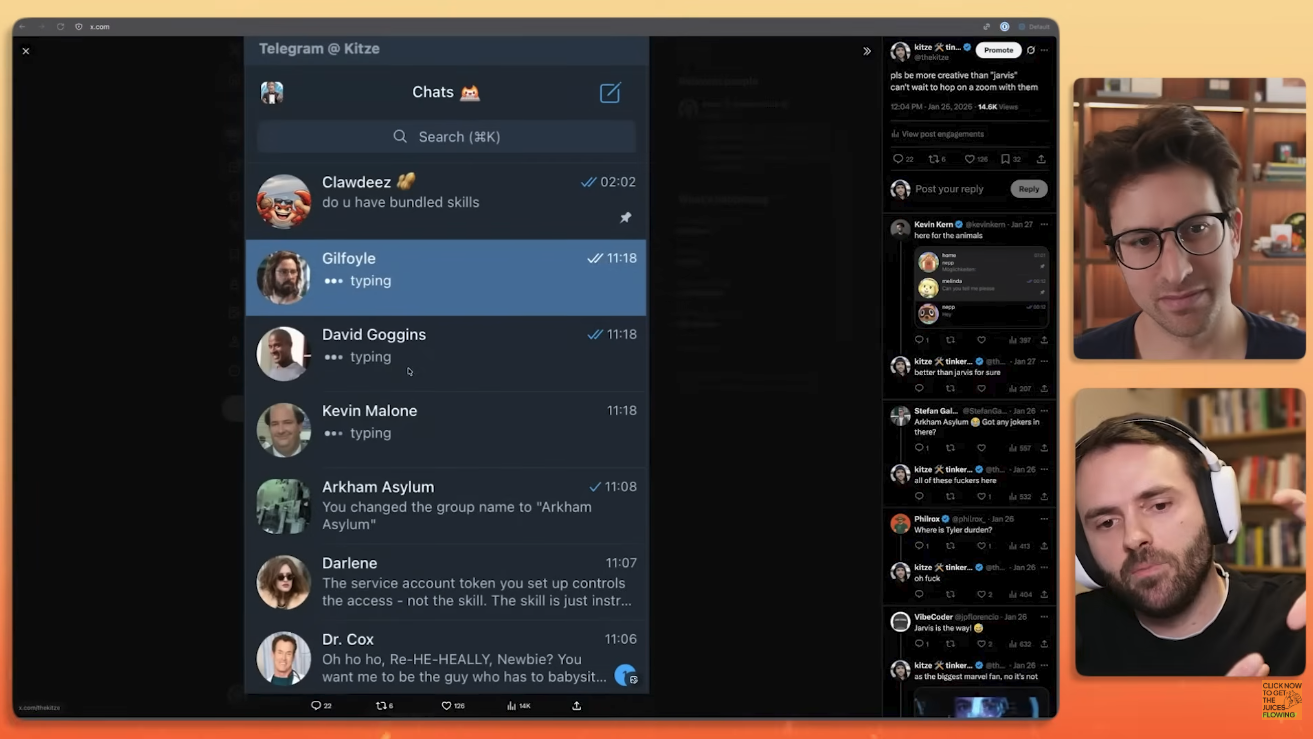
I’ve watched the YouTube videos. The excited testimonials. The productivity bros defending their workflows.
Pod Host: “Why is this better than vanilla Claude?”
Prod Bro: “I’m tired of explaining, if you don’t see it, you don’t see it, your loss.”
Here’s are some ideas that I have hear from tech influencers of what OpenClaw actually does in practice:
Email and calendar management: Scans your inbox, identifies meeting requests, proposes times, updates calendar events.
File organization: Sorts your Downloads folder by file type, creates directories, moves files.
Daily briefings: Aggregates news from specific sources, summarizes content, delivers a morning digest.
Research compilation: Monitors websites for changes, extracts data, generates reports.
Task automation: Runs scheduled jobs, monitors conditions, triggers actions.
Ability to learn: Spend some time onboarding your AI, offer it every detail of your work and life, and let it learn and identify opportunities to work for you.
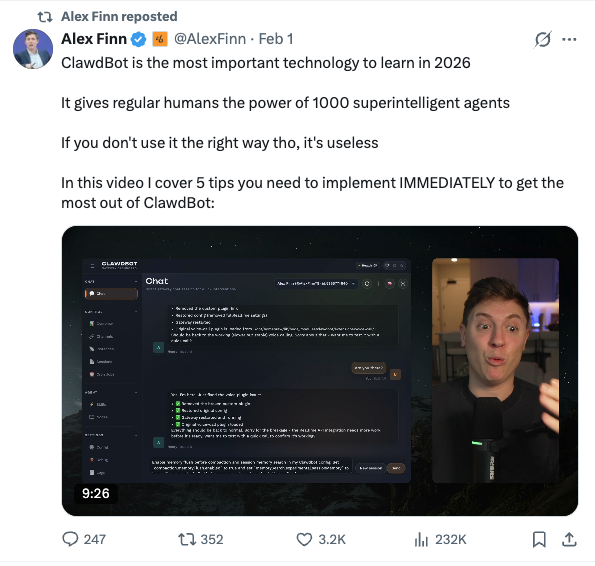
Let’s be completely fair: these are real capabilities. They work. Users genuinely save time.
Also, lets be honest about scale: we’re talking about tasks that take 5-10 minutes manually, now automated down to zero. An hour saved per week sounds impressive until you calculate the cost.
Some analyses point out the obvious: these agents are doing basic summaries and organization, not actual work. The productivity gains are genuine but modest. You’re not suddenly completing projects 10x faster. You’re saving the time it takes to sort emails and organize files.
By giving these agents full transparency into their lives, people are allowing AI to develop it’s own new routine recommendations – and admittedly this may be where the true power lies. So far it seems that users are more impressed that agents are offering ideas, than the quality of the ideas themselves.
Is that worth giving an AI agent root access to your system, your credentials, and your entire digital life? The math doesn’t work for most people.
Shell-Manning
I want to be fair. Let me present the strongest case for OpenClaw.
The Sovereignty Argument: OpenClaw represents user control over AI infrastructure. Your data stays on your hardware. No vendor can change terms, raise prices, or shut you out. You own the entire stack. In an era of increasing platform consolidation, this matters.
The Experimentation Argument: We’re in the early days of agentic AI. Someone needs to push boundaries, explore what’s possible, discover failure modes through real-world deployment. OpenClaw is doing that. The security issues we’re finding now inform better designs later.
The Cost Argument: For heavy AI users, OpenClaw might actually be cheaper than enterprise subscriptions. Yes, API costs can hit $100-200/month, but that’s still less than some professional tiers. And you get capabilities those services don’t offer.
The Community Argument: 145,000 GitHub stars represent genuine enthusiasm. The community has built 3,000+ skills. Active development continues. Real innovation happens in open source, not corporate labs.
These arguments have merit. They’re not wrong.
They’re just insufficient to overcome the security realities for most users.
My Honest Assessment
OpenClaw is not ready for general use.
It’s a fascinating experiment in agentic AI. It demonstrates capabilities we haven’t seen at this accessibility level before. It proves that community-driven development can move faster than established players.
It also demonstrates that security-critical software launched into viral adoption without proper hardening becomes a massive attack surface.
The productivity gains are real but modest. You’ll save an hour per week. Maybe two if you have particularly tedious workflows.
The security risks are real and severe. Prompt injection, credential leakage, malware distribution, one-click exploits, and architectural vulnerabilities that can’t be patched without fundamental redesign.
The cost is unpredictable. API usage can spike unexpectedly. Background tasks run even when you’re not actively using the system.
The maintenance burden is ongoing. You need to monitor security disclosures, update manually, review every skill before installing, and understand enough about system security to deploy this safely.
What’s the Alternative?
For most people reading this, the answer is simple: if you need AI, stick with Claude or ChatGPT.
$20 per month gets you capable AI assistance without the security risks, cost uncertainty, or maintenance burden. You won’t get full system automation, but you’ll get 95% of the practical value with 5% of the risk.
If you’re a developer curious about agentic AI, experiment with OpenClaw on disposable infrastructure. Spin up a cheap VPS, give it zero access to real accounts, and explore what’s possible. Learn. Break things safely. But don’t deploy this with access to your actual digital life.
If you legitimately need remote server automation, evaluate OpenClaw for that specific use case with proper security hardening:
- Dedicated server (not your main machine)
- Docker sandboxing for tool execution
- Network isolation (loopback binding, VPN/Tailscale access)
- Read-only filesystem where possible
- Separate accounts for each service
- No access to production systems or sensitive data
And if you’re an enterprise considering OpenClaw for business use: don’t. Full stop. The security model is fundamentally incompatible with enterprise requirements.
OpenClaw should be allowed to prove itself over time, or like so many over-hyped products, invariably to age like fish.
Agentic AI is the Future
I see OpenClaw as an early sketch of what the future holds. Maybe we will enjoy AI agents, unshackled, to complete tasks and jobs of increasing complexity. Agents which automate workflows and operate autonomously on our behalf. The demand is real. The technology trajectory is clear.
I’m personally excited, probably when the initial cash-grab is over, to see the emergence of personal, privacy-focused AI agents which will directly interface with what will inevitably become corporate ad-driven chatbots. Let the robots haggle and come up with an arrangement.
But we’ll get there through one of two paths:
Path A: Vertically integrated offerings from established players (Anthropic, OpenAI, Google) with proper security models, sandboxing, gradual privilege escalation, and enterprise support. Slower, more controlled, safer.
Path B: Community-driven open source projects that move fast, break things, find failure modes through real-world deployment, and eventually harden into production-ready software.
OpenClaw is firmly on Path B. It’s pioneering territory. Finding mines by stepping on them.
That’s valuable work. Someone needs to do it. But you don’t need to be that someone.
The Bottom Line
OpenClaw promises AI with hands.
It delivers on that promise. The hands work. They can execute commands, manipulate files, control applications, and automate workflows.
But those hands are attached to an AI that can’t reliably distinguish your instructions from malicious instructions embedded in emails. Those hands have access to your passwords, your files, your accounts, and your entire digital life. And those hands operate in an ecosystem where attackers are already actively hunting for installations to exploit.
The productivity gains are genuine but modest—an hour saved per week, maybe two.
The security risks are genuine and severe—potential full system compromise, credential leakage, data exfiltration, and financial loss.
The math doesn’t work for most people.
Maybe in six months, after security issues get addressed, hosted offerings launch, and the ecosystem matures. Maybe then the equation changes.
For now? The most productive thing you can do is not install OpenClaw.
If you need AI, use Claude. Use ChatGPT. Use AI tools that keep your hands safely on the keyboard and your sensitive data where it belongs: behind authentication barriers that can’t be bypassed by a cleverly worded email.
The future of agentic AI is coming. You don’t need to be a beta tester at your own risk.
Related Reading
- OpenClaw Promised AI with Hands. It Delivered a Security Nightmare Instead.
- Shodan: The Search Engine for Exposed Devices
About Brendon
Brendon Brown is a fractional CTO and digital strategist working with private brands, religious institutions, and mid-market businesses that refuse to settle for mediocre technology. Fourteen years in digital marketing, IT infrastructure, and eCommerce migrations taught him that most companies are running on systems that actively work against them — bloated, expensive, badly integrated, and genuinely ugly. He fixes that. The technical side is table stakes: process automation, marketing stack deployment, complex migrations handled in-house. What sets the work apart is the refusal to treat aesthetics as optional. Your website is your reputation engine. If it looks like everyone else’s, you’ve already lost.
Evaluating new tools for your stack? The difference between a productivity multiplier and a security liability is usually architectural, not technical. Book a short call with Brendon. Thirty minutes. No slides, no pitch deck. Just a straight conversation about what’s worth adopting and what’s worth waiting on. Schedule a call →
Pingback: Shodan: The Search Engine That Shows Everything You Left Exposed – Brendon Brown
Pingback: You’re Going to Need to De-Google. Let Me Tell You Why. – Brendon Brown